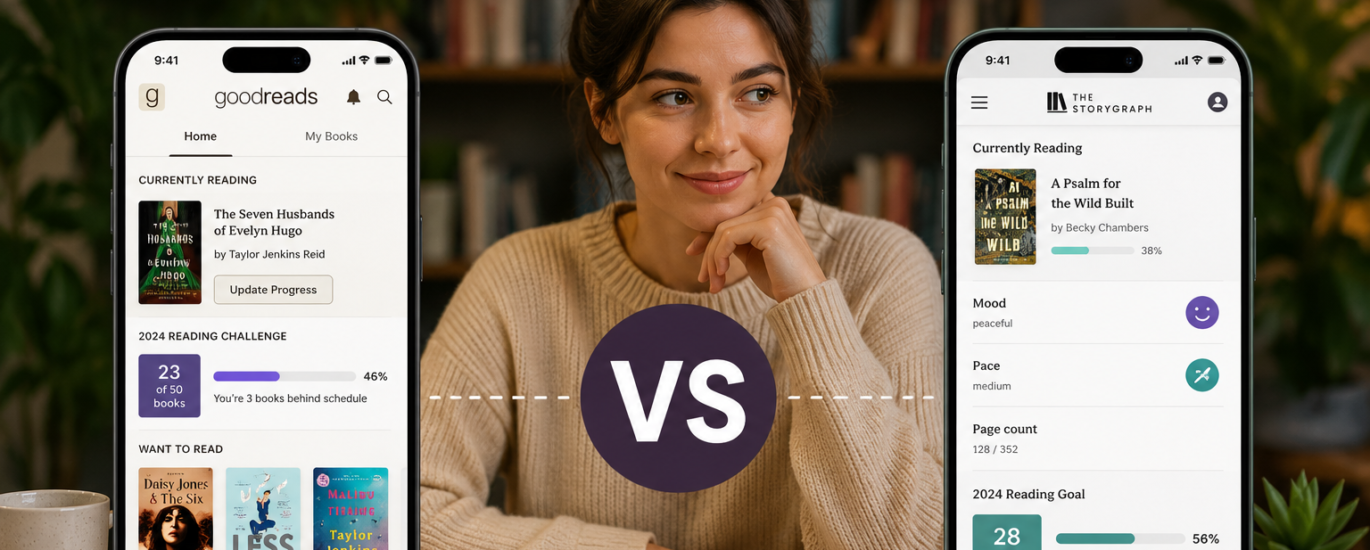
If you log every book you finish and you’re tired of Goodreads feeling like a website frozen in 2013, the short answer is this: Goodreads still wins on community size and reviews, while StoryGraph wins on reading statistics, mood tracking, and a cleaner, independent experience. Neither one replaces the other completely, and which app you should pick depends on whether you read for the social feed or for the data.
I moved most of my own tracking to StoryGraph about a year ago and kept a Goodreads account open at the same time, mainly out of habit. That overlap turned out to be useful, because it forced me to notice exactly where each app pulls ahead and where it quietly falls behind.
The Real Difference Between StoryGraph and Goodreads
Goodreads was built as a social network for readers first, and a tracker second. StoryGraph was built the other way around.
Goodreads launched in January 2007 and now runs as an Amazon subsidiary, with a member base that had already passed 150 million by 2023. That scale is Goodreads’ entire advantage. Search almost any book, including an obscure backlist title from a small press, and there is usually already a shelf count, a rating average, and a handful of reviews waiting there.
StoryGraph is much younger and much smaller, run by a small independent team rather than a large platform. What it lacks in raw catalog size, it makes up for with a reading-analytics layer that Goodreads never really built. Where a Goodreads vs StoryGraph comparison gets interesting is not in which app “has more,” but in which one is actually designed around the thing you personally want from tracking books.
Tracking and Shelving: Where Each App Starts
Both apps use the same basic shelving logic: want to read, currently reading, and read. From there, they diverge.
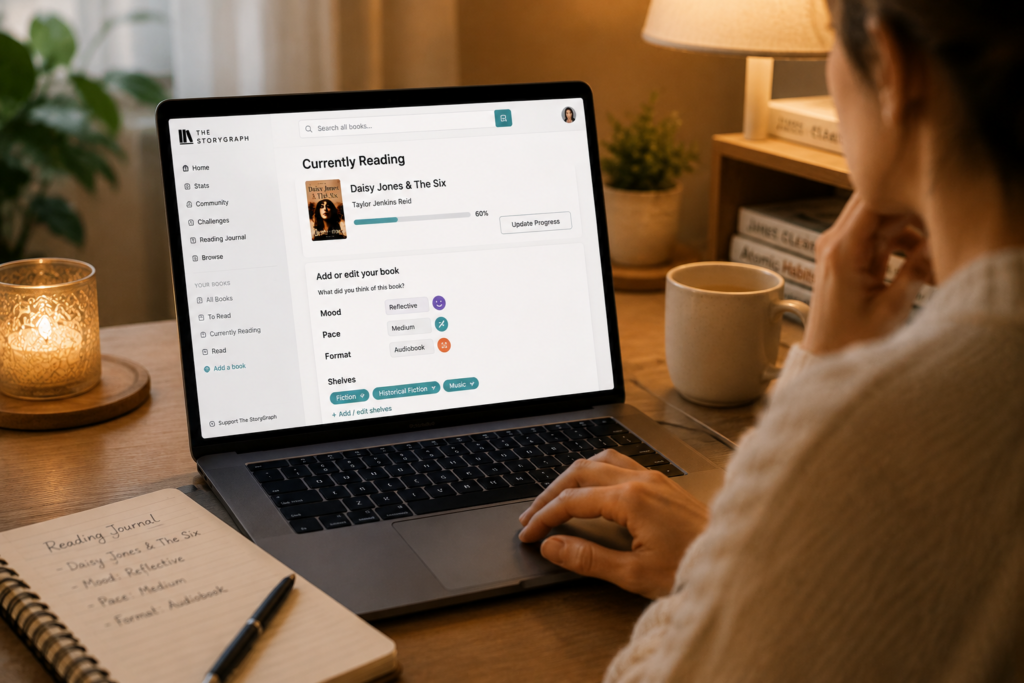
Goodreads lets you build custom shelves freely, which works well if you have a few hundred books and want simple tags like “book club” or “reread.” StoryGraph adds structured tags for mood, pace, and content warnings at the point you log a book, so the organizing happens automatically as you read rather than as a separate task you do later.
Mood and pace tagging is the single feature StoryGraph users mention most often when explaining why they switched. Instead of just marking a book five stars, you tag whether it felt dark, funny, tense, or reflective, and whether it moved slowly or quickly. Over time, that builds a picture of your actual reading taste that a star rating alone can’t show.
Ratings, Reviews, and How Honest They Feel
Goodreads uses a simple five-star system, and its strength is volume. A popular new release can rack up tens of thousands of ratings within weeks, which gives you a fast read on general reception before you commit your evening to a book.
The tradeoff is noise. Review-bombing around controversial releases is common enough that experienced Goodreads users learn to skim past the one-star pile-ons and read reviews in the three-star range instead, since those tend to be the most specific and least emotional.
StoryGraph allows half-star and quarter-star ratings, which sounds minor until you’ve rated a book you liked but didn’t love, and neither four nor five stars felt accurate. That extra precision, paired with the mood tags, gives StoryGraph’s numbers a slightly more personal feel, even though its review pool is far smaller than Goodreads’.
Reading Stats: The Category Goodreads Still Hasn’t Solved
This is where the comparison stops being close.
Goodreads’ annual Reading Challenge tells you how many books you’ve read against a number you picked in January. That’s genuinely useful for casual motivation, but it stops there. There is no breakdown by genre, pace, page count, or mood, and no year-over-year trend view.
StoryGraph turns that same data into actual charts: pages read per month, genre breakdown, average pace, format split between physical, ebook, and audiobook, and a graph of the moods that showed up most across your year. The Plus subscription, priced at roughly $4.99 a month or $39.99 a year, adds custom charts and deeper filtering on top of the free stats.
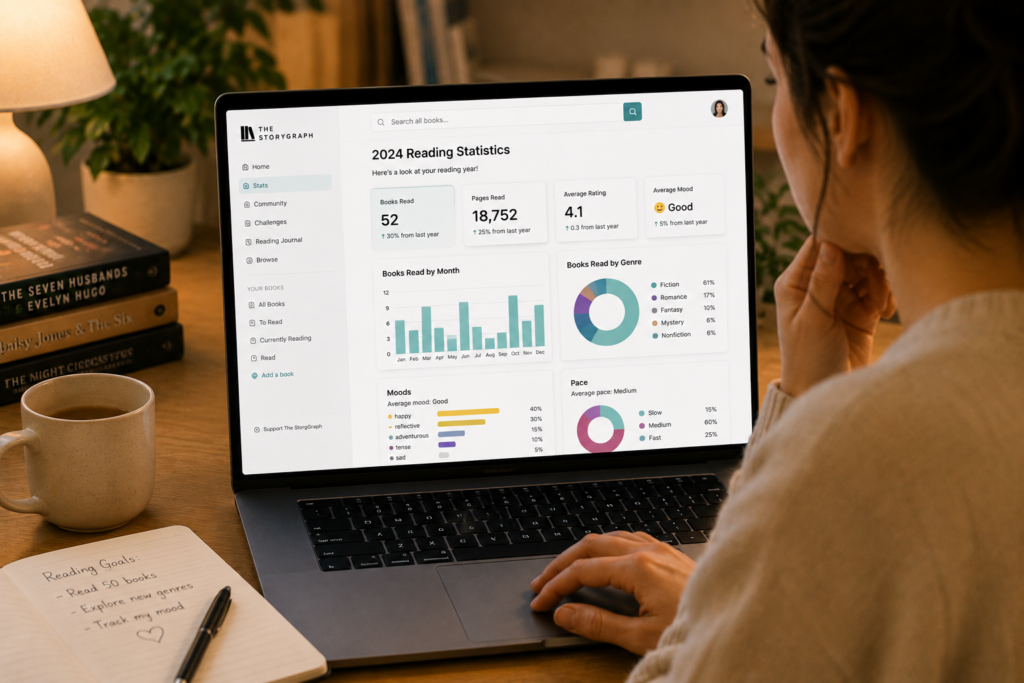
For a reader who wants to know they finished 18 of 30 books this year, Goodreads’ challenge is enough. For a reader who wants to know they read noticeably more literary fiction in the fall and more thrillers in summer, only one of these apps can actually tell you that.
Kindle and Amazon Integration
Goodreads has an obvious structural advantage here, since Amazon owns it. You can link your Kindle account, have eligible Kindle reading activity feed into your Goodreads tracking, and revisit Kindle highlights and notes through the connected experience.
StoryGraph takes the opposite position on purpose. It stays independent from Amazon entirely, which some readers see as a real benefit if they’d rather keep their reading life separate from a retail ecosystem. StoryGraph does support a one-time import of your existing Goodreads library, including your ratings and shelves, which is usually the first thing people do when they try it.
If most of your reading happens on a Kindle and you like everything staying in one Amazon-connected pipeline, that alone can be reason enough to keep Goodreads as your primary tracker.
Recommendations: Which App Actually Knows What You Want Next
Goodreads’ recommendation engine leans heavily on your ratings history and what similar readers liked. In practice, it tends to keep recommending more of what you’ve already read rather than adapting to a mood shift, so a reader who usually picks fantasy but wants a short mystery this week often gets more fantasy anyway.
StoryGraph’s recommendations factor in mood and pace alongside your history, which tends to produce more varied suggestions when your reading mood actually changes week to week. It’s not flawless, and a smaller user base means its suggestions for niche genres can be thinner than Goodreads’, which has more reviewers to draw signal from.
Community and Social Features
Goodreads is still the louder, more social app. Following friends, joining groups, and seeing what your circle is currently reading are all built around the assumption that reading is at least a little bit public.
StoryGraph supports buddy reads and readalongs, but the overall tone is quieter. If your motivation depends on friends seeing your progress, that difference matters more than any stats page. If you’d rather keep a private log with minimal noise, StoryGraph’s quieter design will likely feel like a relief rather than a limitation.
So, Which One Should You Actually Use?
Neither app is objectively better. They’re built for different habits.
Stick with Goodreads if you rely on its huge review base before buying books, your friends are already active there, you read mostly through Kindle, and you don’t especially care about detailed stats.
Move toward StoryGraph, or at least run it alongside Goodreads for a month, if you want to understand your own reading patterns, you’d rather keep your library independent of Amazon, and half-star ratings and mood tags sound more useful to you than a bigger review count.
A lot of readers, myself included, end up doing both for a while: using Goodreads to check reviews before buying, and using StoryGraph to actually understand the year of reading once it’s done.

Frequently Asked Questions
Can I use StoryGraph and Goodreads at the same time?
Yes. Many readers keep both, using Goodreads for reviews and community activity and StoryGraph for detailed stats and mood tracking. The only real cost is double data entry unless you rely on StoryGraph’s one-time Goodreads import.
Is StoryGraph completely free?
StoryGraph has a functional free tier with basic tracking, mood recommendations, and stats. The Plus plan costs around $4.99 a month or $39.99 a year and adds custom charts, deeper stats filtering, and the Goodreads import tool.
Does StoryGraph import my Goodreads library?
Yes, StoryGraph offers a one-time import of your Goodreads shelves, ratings, and reviews. It’s usually the fastest way to test StoryGraph without losing years of existing tracking history.
Which app has better recommendations, StoryGraph or Goodreads?
StoryGraph’s recommendations factor in mood and pace, so they adapt better when your reading taste shifts. Goodreads leans more heavily on ratings history, which can keep suggesting similar books even when you want something different.
Does StoryGraph work without a Goodreads account?
Yes. StoryGraph is a fully independent app and doesn’t require a Goodreads account to sign up, track books, or get recommendations. The Goodreads import is optional and only relevant if you’re switching over existing data.
One Thing Worth Trying Before You Decide
Don’t pick a side based on feature lists. Import your Goodreads library into StoryGraph, keep both apps running for one full month, and log every book in both. At the end of the month, look at which app you actually opened without thinking about it, and which one you had to remind yourself to update. That habit, not the comparison chart, is what will tell you which tracker survives past week two.
If you’re weighing this decision as part of a bigger move away from Goodreads altogether, our full breakdown of book tracking alternatives covers other options beyond StoryGraph worth knowing about, and our closer look at the Goodreads app itself goes deeper into what it still does well in 2026.