
A friend of mine switched to remote work three years ago and spent the first six months eating lunch standing at her kitchen counter, still logged into Slack. She wasn’t lazy or undisciplined. She just never redesigned her life around the new setup, she just moved her job into her house. That’s the real problem most people run into with working from home: the tips that get repeated everywhere (get dressed, keep a routine) are true but too vague to change anything.
In one sentence: the people who thrive while working remotely are the ones who treat their home office as a separate system with its own hours, boundaries, equipment, and social habits, not just a laptop on the dining table.
This isn’t a fluffy motivational list. It’s built from what actually shows up in the research, plus a few things you only learn after doing this for real.
Why the Basics Still Trip People Up
Roughly 35.1 million Americans worked remotely for pay as of April 2026, and about 22.6% of the U.S. workforce teleworks at least part of the time, according to the Bureau of Labor Statistics. That’s not a fringe arrangement anymore. It’s a normal working condition with its own failure modes.
Stanford economist Nicholas Bloom’s well-known study of 16,000 workers found a 13% performance increase among people working from home, split between working more minutes per shift and getting more done per minute in a quieter environment. That’s a real gain. But the same body of research also flags a real cost: about a quarter of fully remote employees report meaningful loneliness, and the average person now sits through more than 10 virtual meetings a week. Productivity and burnout can rise together. That’s the tension these 15 tips are actually trying to solve.
1. Build a Fixed Start and Stop Time, Not a Rough One
“I’ll start around 9” is how workdays quietly stretch into evenings. Pick an actual start time and an actual end time, and treat both like appointments you can’t move. The 9-to-5 hasn’t earned any special status, but a consistent boundary has. Without a physical commute acting as a natural bookend, your brain needs some other signal that the day is over.
2. Create a Closing Ritual
This sounds small and isn’t. Shutting the laptop, tidying the desk, or even changing out of “work clothes” tells your nervous system the workday ended. Skip this and you’ll notice yourself checking email at 9 p.m. out of habit, not necessity.
3. Get a Real Chair Before You Get a Nicer Monitor
People spend money on webcams and standing desks before fixing the one thing they sit in for eight hours. A chair with lumbar support and adjustable height doesn’t need to cost $900. Something in the $150 to $300 range with a five-year warranty will outperform a $50 chair from a big-box store by a wide margin. Your lower back is the first thing that files a complaint when this gets ignored.
4. Match Your Monitor Height to Your Eyes, Not Your Desk
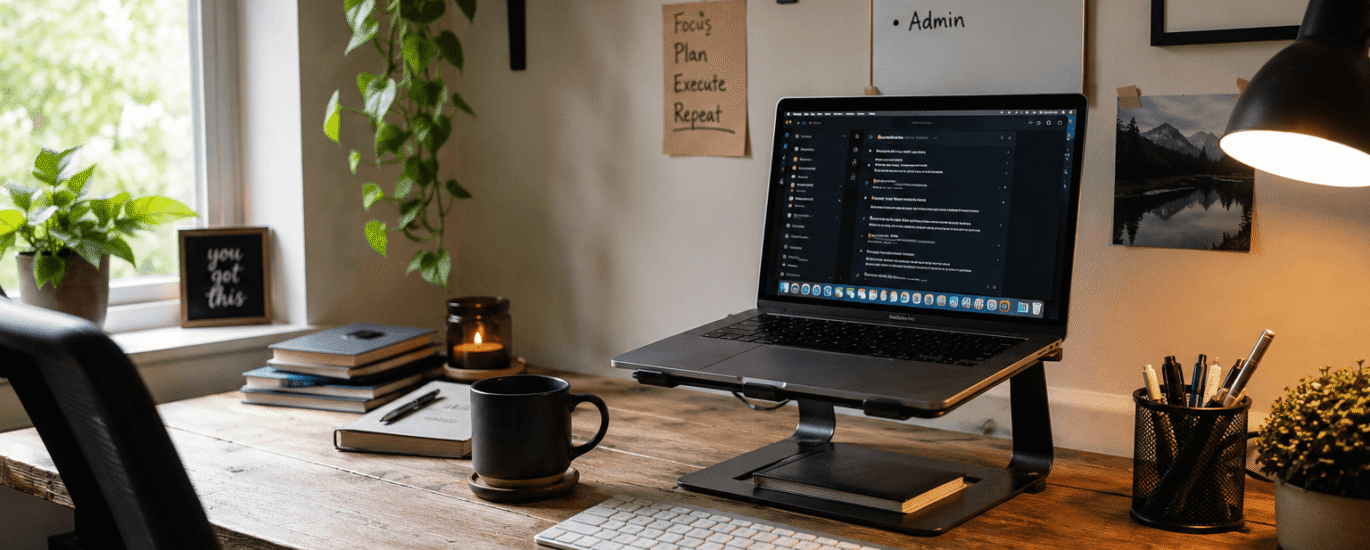
The American Optometric Association recommends positioning the screen 15 to 20 degrees below eye level and about 20 to 28 inches from your face. Most laptop screens sit well below that when the laptop is on a desk, which forces your neck into a forward tilt for hours. A $25 laptop stand paired with an external keyboard fixes this almost immediately.
5. Actually Use the 20-20-20 Rule
Every 20 minutes, look at something 20 feet away for 20 seconds. The evidence behind the exact numbers is debated among researchers, but the underlying idea, that your eyes need a break from close-range focus, is well supported. The American Optometric Association reports the average American already spends about seven hours a day on a screen even before remote work adds more. Set a silent timer. You won’t remember to do this on your own.
6. Separate “Work Space” From “Everywhere Else,” Even in a Studio Apartment
You don’t need a spare room. You need a spot your brain associates only with work. In a one-room apartment, that might mean one specific chair facing one specific direction, used for nothing else. When you can’t leave the office, you have to build the boundary a different way, spatially instead of physically.
7. Change Your Location at Least Once a Week
Working from the same four walls every single day for months flattens your mood in a way that’s hard to notice from the inside. A coffee shop, a library, a coworking day pass, even a different room in your house resets your attention in a measurable way. This doesn’t need to be daily. Once a week is often enough to break the monotony.
8. Batch Your Meetings Instead of Letting Them Scatter
Remote workers now average 11.3 hours a week in meetings, close to 28% of the entire workweek. Scattering five 30-minute calls across a day destroys any chance at deep, uninterrupted focus. Where you have control, cluster meetings into a morning or afternoon block and protect the rest of the day for actual output.
9. Set a Visible “Do Not Disturb” Signal for Household Members
If you live with a partner, roommates, or kids, they need an obvious cue that doesn’t require asking. A closed door, a small sign, a specific playlist through a speaker, whatever works in your household. Verbal reminders get forgotten. A visual signal doesn’t.
10. Protect One Real Break in the Middle of the Day
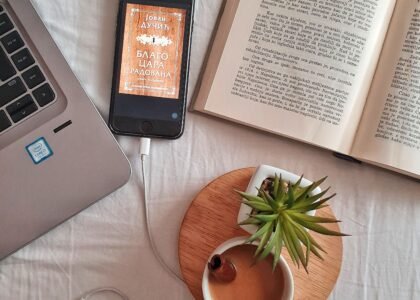
Not a break spent scrolling your phone at your desk. An actual break, ideally outside, away from the screen. If reading is something you enjoy during that downtime, you can also explore book-tracking apps and platforms to keep your reading habit organized. This matters more for people working remotely than for people in offices, because there’s no walk to a meeting room or a colleague pulling you away from your monitor. Left alone, screen time in a home office tends to be continuous rather than naturally interrupted.
11. Guard Against the Loneliness Curve, Not Just the Productivity Curve
Early research on remote work often focused on output, and the numbers looked great in the first few months at companies like Microsoft and Splunk. Then satisfaction and collaboration started slipping as isolation set in. If you’re fully remote, build in a recurring, low-effort way to talk to other humans who aren’t your household, a weekly call with a friend, a standing coffee with a former coworker, a local meetup tied to a hobby, or even a shared reading habit supported by book-tracking apps and platforms. This is not optional self-care fluff. It’s a documented failure point of long-term remote work.
12. Keep Your Commute, Just Repurpose It
People who work remotely save about 55 minutes a day on average that used to go to commuting. Many of them just let that time evaporate into extra screen time. Turn part of it into a fixed transition ritual instead, a 15-minute walk before you log on and another after you log off. It gives your brain the start-and-stop cues a real commute used to provide.
13. Track Your Actual Hours for Two Weeks
Most people who work from home underestimate how long they’re actually online, because the boundaries blur. Use a simple time tracker for two weeks, no judgment, just data. You’ll usually find one of two problems: you’re working far more hours than your salary reflects, or your focused output happens in a three-hour window and the rest is filler. Both are useful things to know.
14. Fix Your Lighting Before You Fix Your Camera
Bad lighting doesn’t just look worse on video calls, it also makes your workspace feel gloomier over an entire day, which affects mood more than people expect. A desk lamp with a daylight-balanced bulb (around 4000 to 5000K) placed to the side of your monitor, not behind you, solves both problems for under $30.
15. Review and Adjust Your Setup Every Few Months
What worked for your home office lifestyle in month one often stops working by month six. Maybe the noise from a neighbor’s renovation changed everything. Maybe your task list shifted from deep, focused work to constant meetings. Treat your setup as something to revisit on a schedule, not something you configure once and forget.
The One Thing Most Advice Skips
Here’s the part almost nobody mentions: your habits should differ depending on whether your job is task-based or meeting-based, and most generic advice pretends every remote job looks the same.
If your day is mostly focused, solo work (writing, coding, design, analysis), your biggest lever is protecting long uninterrupted blocks, ideally 90 minutes or more, because context-switching costs are brutal for that kind of output.
If your day is mostly meetings and coordination, your biggest lever is the opposite: recovery time between calls, even five minutes, because back-to-back video calls are measurably more draining than back-to-back in-person conversations. Figure out which type of week you actually have, then build your remote work routine around that, instead of copying a schedule built for a different kind of job entirely.
Remote work and its evolution provides useful background on how remote work has developed and the different ways people work outside traditional offices. If you’re fully remote, build in a recurring, low-effort way to talk to other humans who aren’t your household…
Frequently Asked Questions
How many hours a day should someone working from home actually work?
Whatever your contract or role requires, tracked honestly. The bigger issue isn’t the total hours, it’s that boundaries blur without a commute, so people either underwork without noticing or overwork without noticing. Time tracking for two weeks reveals which one applies to you.
Is a dedicated home office room necessary?
No. A consistent spot used only for work, even a single chair in a studio apartment, creates a similar mental boundary. The room itself matters less than the consistency of the association.
How much should a basic home office setup cost?
A functional, ergonomically reasonable setup, chair, laptop stand, external keyboard, and a desk lamp, can be assembled for around $300 to $500. Spending more on a monitor before fixing seating and posture is a common and avoidable mistake.
Does working remotely actually hurt productivity or help it?
The research leans toward help, with a widely cited study showing a 13% performance increase, but it depends heavily on role type. Structured, measurable jobs show the clearest gains. Highly collaborative, creative roles show more mixed results.
How do I stop feeling isolated when working from home full time?
Build one recurring social touchpoint into your week that isn’t tied to your household or your job, a hobby group, a standing call with a friend, or a coworking day. Isolation tends to build slowly, so the fix needs to be scheduled, not spontaneous.
Should I keep my work laptop and personal devices completely separate?
Where your employer allows it, yes. Beyond privacy and security reasons, having a device that’s only for work makes it easier to physically close the loop at the end of the day, which supports the boundary-setting habits above.