
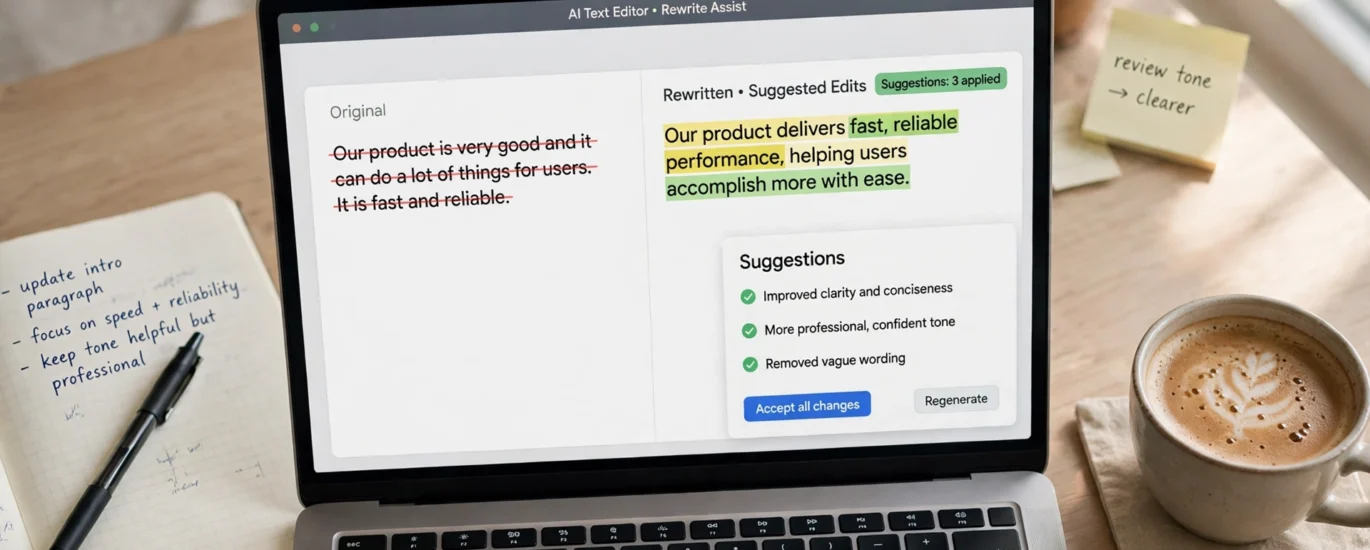
Grammarly Humanize AI is a free tool. It rewrites stiff, AI-sounding text so it reads like a person wrote it. The basic web version is free with no sign-up. A free Grammarly account unlocks the Humanizer agent with four voices, a custom voice and six languages. Pro costs 12 dollars a month billed yearly. It polishes tone, but it cannot guarantee that AI detectors will miss your text.
What Is Grammarly Humanize AI?
Grammarly Humanize AI is a rewriting tool inside the Grammarly writing suite. It takes text that sounds machine made and rewrites it toward a natural human tone. It strips out robotic phrasing, adds warmth and keeps your voice clear to the reader. It works on drafts written by ChatGPT, Claude, Gemini and other AI models. It also works on your own stiff first drafts.
There are two layers. The first is the free web tool on Grammarly’s AI Humanizer page. You paste text into a box, click Humanize and get a rewrite in seconds. No account is needed. The second is the Humanizer agent. It lives inside Grammarly’s editor and apps once you sign in with a free account. It offers four preset voices, a custom voice and six languages.
The Humanizer is not a separate app. It is an agent inside the Grammarly suite, next to the grammar checker and the AI detector. It does not write from scratch. It reshapes text you already have.
How Does Grammarly Humanize AI Work?
Grammarly says the Humanizer uses AI and natural language processing. It scans your text for AI-specific patterns, such as overly formal tone or repetitive phrasing. Then it rephrases sentences and adjusts wording and tone. The meaning stays the same.
Using the free web tool
The free web tool takes three steps.
- Paste your text into the box at the top of the humanizer page, or upload a document.
- Click Humanize.
- Read the rephrased text. Grammarly says it removes stiff, awkward phrasing and replaces it with clear, natural writing that preserves your meaning.
One hands-on test in September 2026 found a 1,500-word input allowance. That is one test, not a confirmed limit. Grammarly publishes no word cap for the web tool.
Using the Humanizer agent
The agent works inside Grammarly docs, the AI writing surface at app.grammarly.com. It also works inside Superhuman Go, the AI assistant from Superhuman. To open it in docs, click the Humanizer icon on the agents tab on the right side of your document. The agent shows detailed suggestions, with bars down the left side of your text. Hover over a bar. You get a prompt that tells you how to change that passage to fit the voice you picked. You decide what to take and what to leave.
The agent offers four preset voices. The custom voice is the feature worth ten minutes of setup. To build one, open the Humanizer and click Create a voice. Give it a name you will recognise. Then add a writing sample of 200 words or more as the style reference. Pick something that already sounds like you at your best. A newsletter you are proud of works well. So does a blog post you wrote by hand. Then select the voice and work through the suggestions.
The Humanizer agent works in six languages: English, Spanish, French, German, Portuguese and Italian.
Is Grammarly Humanize AI Free?
Yes, at the basic level. The web tool is free with no sign-up. A free Grammarly account also gives you the Humanizer agent, with four voices, a custom voice and six languages. Pro unlocks the full Humanizer experience plus Grammarly’s other advanced features.
The prices below were checked on Grammarly’s pages in October 2026. Prices and access can change, so check the plan attached to your account before you pay.
| Plan | Price | Humanizer access |
|---|---|---|
| No account | 0 dollars | Basic humanization on the web page |
| Free account | 0 dollars | Humanizer agent, four voices, custom voice, six languages, 100 AI prompts a month |
| Pro, billed yearly | 12 dollars a month (144 dollars a year) | Full Humanizer experience, 2,000 AI prompts a month |
| Pro, billed monthly | 30 dollars a month | Full Humanizer experience, 2,000 AI prompts a month |
Read the prompt numbers with care. The 100 prompts on a free account and the 2,000 on Pro are general AI prompt allowances, not a Humanizer quota. You cannot turn them into a verified Humanizer word count.
The free account is the sweet spot for most people. You get the agent, the voices and the languages for nothing. The humanizer alone does not justify 144 dollars a year.
On team plans, access depends on your admin. Free, Plus and Pro users can open the Humanizer in docs and Superhuman Go. On Business, Enterprise and Education plans, it works in docs only, and your admin controls access. If it is missing on a work account, ask your admin.
Grammarly Humanize AI vs the Alternatives
Four other tools cover the same job. Each one suits a different user. The table compares them on price, free limits, languages and best use.
| Tool | Free tier | Paid price | Languages | Best for |
|---|---|---|---|---|
| Grammarly Humanize AI | Free web tool, no sign-up; agent free with an account | Pro 12 dollars a month billed yearly, or 30 dollars monthly | 6 | Writers already inside Grammarly who want voice control |
| Clever AI Humanizer | Free, no account, up to 3,000 words per request, no fixed monthly cap | No paid plan yet; terms allow future paid plans | 3 (English, Spanish, Portuguese) | Free everyday rewrites of full blog posts and reports |
| Duey.ai Humanizer | About 5 free attempts at around 500 tokens each | Pro from 5 dollars a month billed yearly, or 9.99 dollars monthly | Check the site; not stated in the sources used | Students who also want an auto typer for Google Docs |
| Writesonic Humanizer | No standalone free tool anymore | Humanizing only inside the AI Article Writer, plans from 79 dollars a month billed yearly | 24 tones on the old tool; check current plans | Teams already paying for Writesonic’s article writer |
| DigitalMagicWand | Free tier, about 40,000 characters per one review; account required | Freemium; check the pricing page for current plans | 100+ | Many styles and many languages in one suite |

Clever AI Humanizer
Clever AI Humanizer is a free browser tool from CleverFiles Inc. It rewrites AI-assisted drafts to improve tone, sentence variety and readability. It offers two writing styles: Normal for everyday content, and Clear and Structured for reports and professional writing. Each request takes up to 3,000 words, in English, Spanish or Portuguese. There is no fixed monthly allowance, though limits can change. You do not need an account. Signing up adds Content History, which stores past results. It also bundles a free AI detector, a paraphraser and a grammar checker. QuillBot offers a similar tool. See our QuillBot AI Humanizer guide for the comparison.
Duey.ai Humanizer
Duey.ai is a suite built mostly for students. Its Humanizer rewrites AI text to change sentence structure and word choice, aiming to lower AI-detection scores. The Humanizer is a Pro feature, with up to 5,000 words per run. The free tier gives roughly five attempts at about 500 tokens each. Then daily usage is limited. Pro costs from 5 dollars a month billed yearly. Monthly billing costs 9.99 dollars a month, according to a review from October 2026. Older reviews show different prices, so check the pricing page before you pay. Duey also offers an Auto Typer. It types your text into Google Docs, Slides or Word Online at a natural pace. Cloud Sessions and an AI Detector are included too.
Writesonic Humanizer
Writesonic needs an honest warning. Its standalone humanizer page now returns a 410 Gone answer, checked in October 2026. That code means the page existed and was taken away on purpose. Writesonic now sells AI search visibility plans. Humanizing survives only as one step inside its AI Article Writer. The Starter plan costs 79 dollars a month billed annually, for 15 AI articles a month. The old free tier no longer exists. For polishing an existing draft, a dedicated humanizer is cheaper.
DigitalMagicWand Humanizer
DigitalMagicWand is a multi-purpose suite for images, audio, video and text. Its humanizer is one feature inside that suite. It offers ten writing styles: Strong, Light, Informal, Essay, Journalistic, Academic, Narrative, Messy, Shorten and Expand. It supports 100+ languages. The free tier is generous, about 40,000 characters per one review. An account is required, with Google sign-in supported. Each use costs 1 credit, up to 30,000 characters. Its site claims guaranteed human-passing content. That is a marketing claim, not a verified fact.
The Honest Limits of Every Humanizer
No humanizer guarantees undetectable text. That is the most important fact in this article, and every honest review agrees on it.
First, Grammarly’s own help centre carries a catch. Text the Humanizer rewrites comes from Grammarly’s LLM. That is why Grammarly’s own AI Detector is likely to flag it. Grammarly states that the tool is not intended to bypass AI detectors.
Second, detectors keep changing. A rewrite that passes one detector today can fail a stricter one tomorrow. Humanizers chase a moving target.
Third, a humanizer cannot fix a bad draft. It changes how a text is written and leaves the message alone. If the facts are wrong, the rewrite will still be wrong. If the structure is weak or the argument is empty, the rewrite stays weak and empty. It will just sound smoother.
Fourth, academic and workplace rules still apply. Many schools and employers treat submitting AI-generated work as your own as misconduct, even if it was rewritten. Check the rules where you study or work before you use one.
When to Use a Humanizer, and When Not To
Use a humanizer when the draft is yours and the facts are right. Good uses include polishing an email that sounds stiff. You can also smooth a blog post you drafted with AI help. Or match a report to your normal voice. Or fix tone in marketing copy. In each case, you wrote or checked the content, and the tool only improves the delivery.
Do not use a humanizer to submit AI-written work as your own. Do not use it to cheat a detector in school or at work. And do not use it to hide AI use from someone who has a right to know. The rewrite will not protect you. A detector, a teacher or an editor can still spot it. The consequences land on you, not on the tool.
A simple test helps. Would you be comfortable telling the reader that AI helped with the draft? If yes, the humanizer is a fair editing step. If you would hide it, the problem is not the tone. It is the disclosure.
Worked Example: What a Humanizer Actually Changes
Take a robotic sentence an AI model might write. Here is one: “It is important to note that the new policy will improve overall productivity a lot.” A humanizer might rewrite it as: “The new policy should make the team noticeably more productive.” The facts are the same. The rewrite is shorter, direct and free of filler phrases such as “it is important to note”. That is the real job of a humanizer. Cut the filler, vary the rhythm and match the tone to the reader. It is not magic. It is editing, done fast.
Frequently Asked Questions
Yes, at the basic level. The web tool is free with no sign-up. A free Grammarly account also gives you the Humanizer agent, with four voices, a custom voice and six languages. Pro costs 12 dollars a month billed yearly, or 30 dollars monthly.
No. No humanizer guarantees that. Grammarly says the tool is not intended to bypass AI detectors. Text rewritten by the Humanizer comes from Grammarly’s LLM. That is why Grammarly’s own AI Detector is likely to flag it. Use it to improve tone, not to hide AI use.
No. As of November 2026, the Humanizer agent lives in Grammarly docs and in Superhuman Go. It is not a button among the grammar underlines in your inbox or browser. Open it from the agents tab in docs.
Six languages: English, Spanish, French, German, Portuguese and Italian. DigitalMagicWand supports 100+ languages, and Clever supports English, Spanish and Portuguese.
Yes, through a custom voice. Open the Humanizer agent and click Create a voice. Name it. Then add a writing sample of 200 words or more. The four preset voices work without any setup.
Clever AI Humanizer is the strongest free option. It is free, needs no account, and takes up to 3,000 words per request. Grammarly’s free web tool and free account agent are best if you already use Grammarly and want voice control. Duey.ai suits students who also want its auto typer. DigitalMagicWand suits writers who need many styles or many languages.